Use Kiosk mode
If you have a device in the library that students use to access Destiny without logging in, you can enable Kiosk mode. When a device is in Kiosk mode, Destiny automatically starts a new guest-user session upon timeout – rather than prompting the user to either log in or continue using Destiny as a guest.
|
Notes:
|
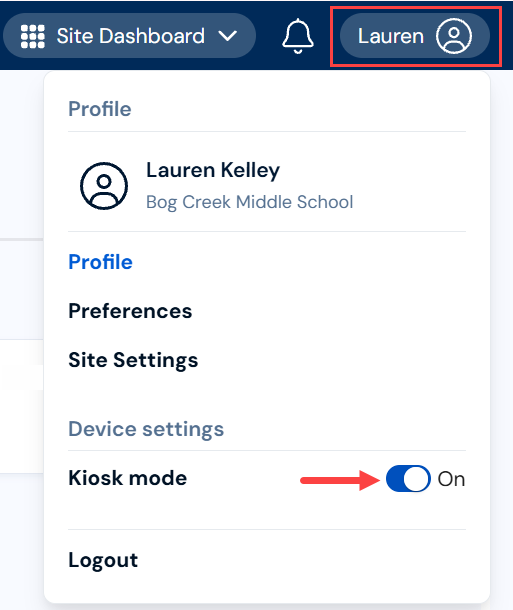
To enable or disable Kiosk mode on a device:
|
Notes:
|
- From the primary navigation bar, click
 .
. - Under Device settings, toggle Kiosk mode to On or Off.