Destiny User Structure
Understanding the typical structure of users in Destiny helps you know who can do what.
District- and site-level users
Destiny users can have district-level or site-level access.
District-level users have district-wide access.
- Destiny Administrators configure and maintain Destiny for the entire district. Although they can navigate to a site, some features and functions are not available to them. Because there are features/functions they cannot access, this should not be the login used to perform daily tasks.
- District users are those that have district-wide access to functions, such as reporting, cataloging, or patron management. Permissions determine which products and functions they can access. District users can also be given access to sites.
Site-level users are assigned to access levels, which define what that group of users can see and do. Permissions define the specific tasks available to users with that access level. Typical access levels include Library Administrator, Resource Administrator, Staff, Teacher, Patron (Students), and Guest.
Library and Resource Administrators are site-level administrators whose responsibilities focus on a particular Destiny product for their site:
- Library Administrator: Administers library materials and site settings for Library Manager.
- Resource Administrator: Administers resources and related site settings in Resource Manager.
|
Note: Some districts may have a Site Administrator with all Product Access Levels permissions to manage patrons. Follett Software recommends having a Library Administrator and/or Resource Administrator assume this role and be given only the permissions they need. |
A Destiny Administrator, Library Administrator, and/or Resource Administrator (with a Product Access Levels permission) defines the specific tasks these groups can and cannot perform, such as the ability to search all sites in a district, pay fines, and renew resources.
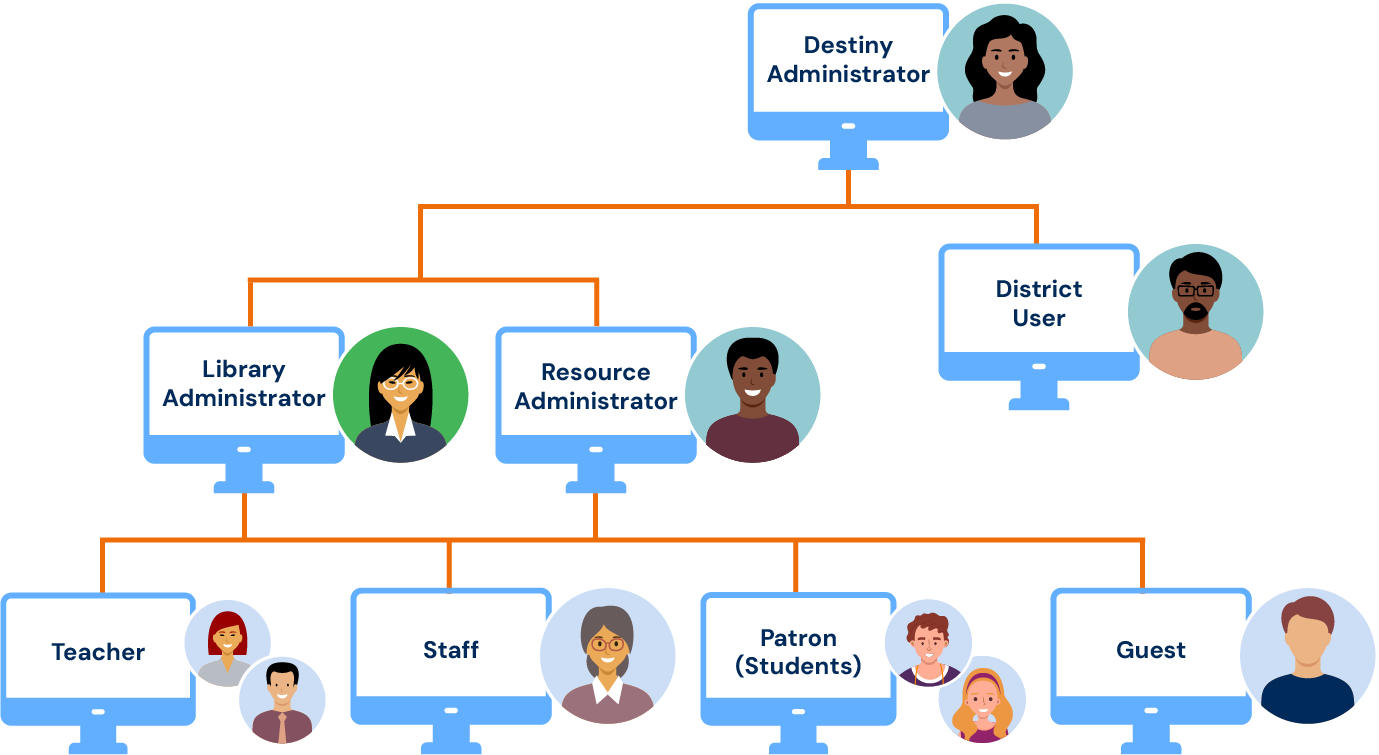
User structure diagram
The following diagram shows the typical structure of users in Destiny set up during installation.
Typical responsibilities
The tasks available to a user depend on Destiny configuration and the permissions assigned to the user's access level.
|
Destiny Administrators |
District users |
Library Administrators or |
|---|---|---|
|
|
|
Limitations
The following limitations apply.
|
Destiny Administrators |
District users |
Library Administrators or Resource Administrators |
|---|---|---|
|
CANNOT:
|
CANNOT:
|
CANNOT:
|
Permissions affect a patron's ability to perform various functions and see certain tabs, options, and tabs. See Permissions for more details.