Update patron records
The Update Patrons option lets you make the same changes to a group of patron records. Depending on your access level and permissions, you may not have all the tabs or fields available.
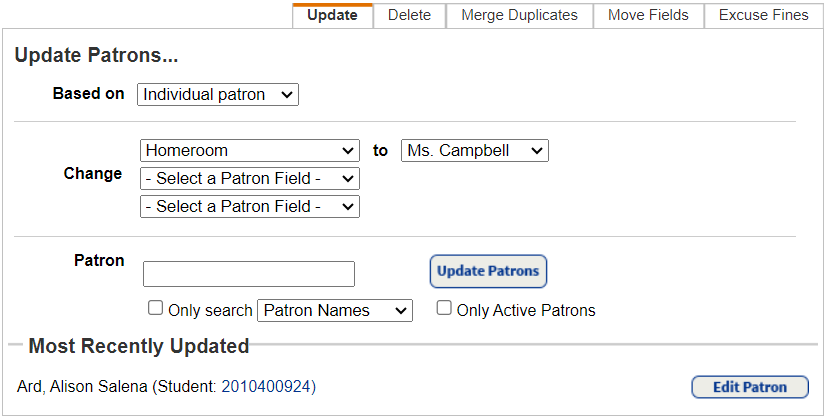
Use the following tabs based on the action you want to perform:
- Update: Change or clear up to three fields at once for individual patrons or patron groups (globally or based on a barcode list or file).
For example, use to update status, homeroom, or teaching status for a group of patrons who share a common value, such as to change a student’s homeroom or status to Inactive, make last year’s seniors inactive, or change faculty to Not Teaching. - Delete: Delete multiple patron records, or just patron notes, at once.
For example, clean up old records such as inactive patrons, graduating students, or retired teachers. - Merge Duplicates: Retrieve all the duplicates for a particular patron, select the Preferred record, and delete the others. This lets you eliminate duplicate patron records without losing the patron’s history tied to those records, such as current transactions, checkout history, fines, and circulation statistics.
- Move Fields: Move the contents, or value, from any one of the User Defined fields to any one of the following patron fields: Grade Level, Homeroom, Nickname, or another User Defined field.
- Excuse Fines: Globally delete fines and refunds.
- Global Check In: Check in all textbook copies (Textbook Manager only) owned by your school – whether barcoded, unbarcoded, or both.
If you are a district user with the Manage Patrons for the District permission, you also have the following tabs:
- Update (patron associations only): Globally associate patrons with additional sites.
- Upload Changes: Add new patrons, and keep your records current as patrons move throughout or leave the district.
- Remove (secondary site associations): Delete secondary site associations patrons may have in your district.
- Schedule (patron updates): Define and schedule a process to update your patron records.