Transfer a patron
Typically, you transfer a patron when they are moving to another site.
|
Example: A patron is moving from one side of town to another might change elementary schools. |
To transfer a patron:
|
Important: To transfer a patron, you must be a district-level user with access to manage patrons. |
- Log in as a district-level user.
- Select Patrons > Search.
- Search for the patron.
- Do one of the following, depending on your search results:
- If there was only one match, the Patron Details page opens automatically. From the Actions menu on the left, click Edit.
- If there was more than one match, next to the patron you want to transfer, click
 .
.
- In the Site Information section, click Transfer Patrons.
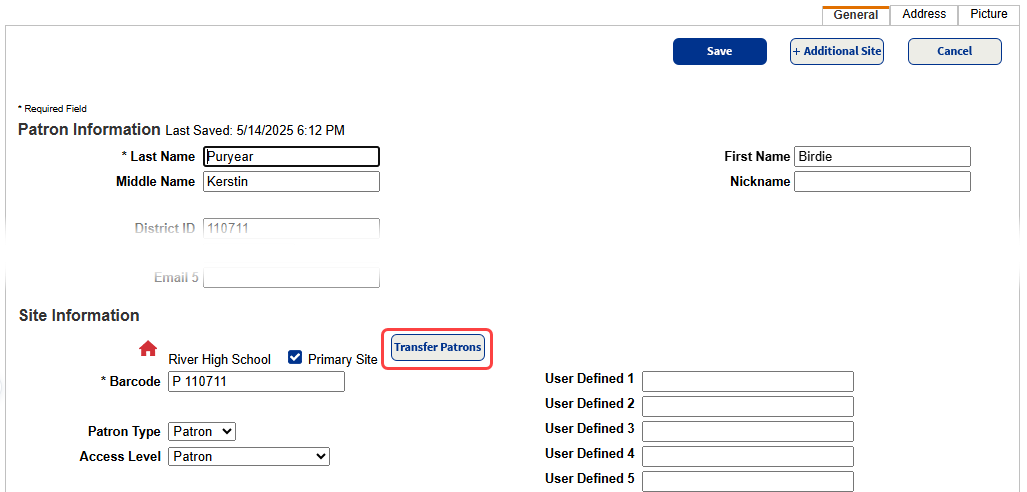
- In the Transfer to drop-down, select a location.
- Make any other changes required in the Site Information section, and then click Save. The Edit Patron page appears.
- Make any necessary changes, and then click Save.