Search for patrons
Use the Search Patrons page to add, view, edit, or delete a patron record.
|
Important: If you have an automated patron update process in place, any manual edits to a patron record are overwritten the next time the update runs. |
To view, edit, or delete a patron record:
- Select Patrons > Search. The Search Patrons page appears.
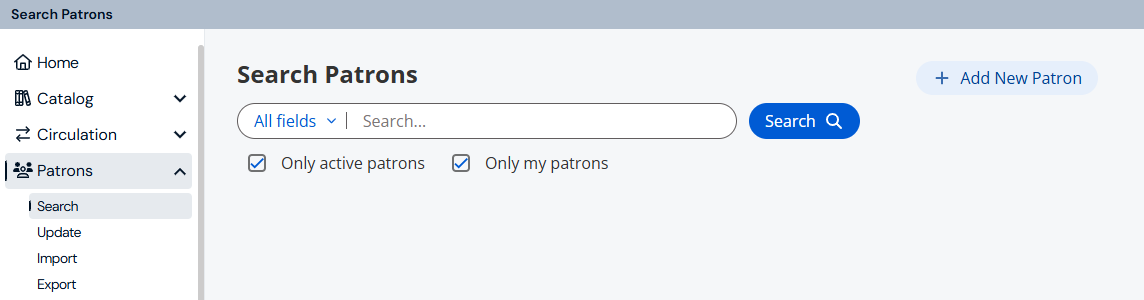
- In the Search field, scan or type the patron's barcode; or enter a search term, and then use any of the following tools:
- To limit your search by a specific parameter, such as last name or homeroom, use the drop-down.
- To include inactive or restricted patrons, deselect Only active patrons.
- To search all sites' patrons, deselect Only my patrons.
- Click Search.
- Do any of the following:
- View a patron's details.
Note: If there is only one match, the patron's details page opens. Otherwise, from search results, click the row with the name of the patron you want to view.
- Edit or delete an existing patron.
- View a patron's details.
To add a new patron:
Follow the steps to add patron records manually.